

Journal · Guide
Preparing an office for a Matterport scan.
Published September 28, 2024 · Updated July 19, 2026
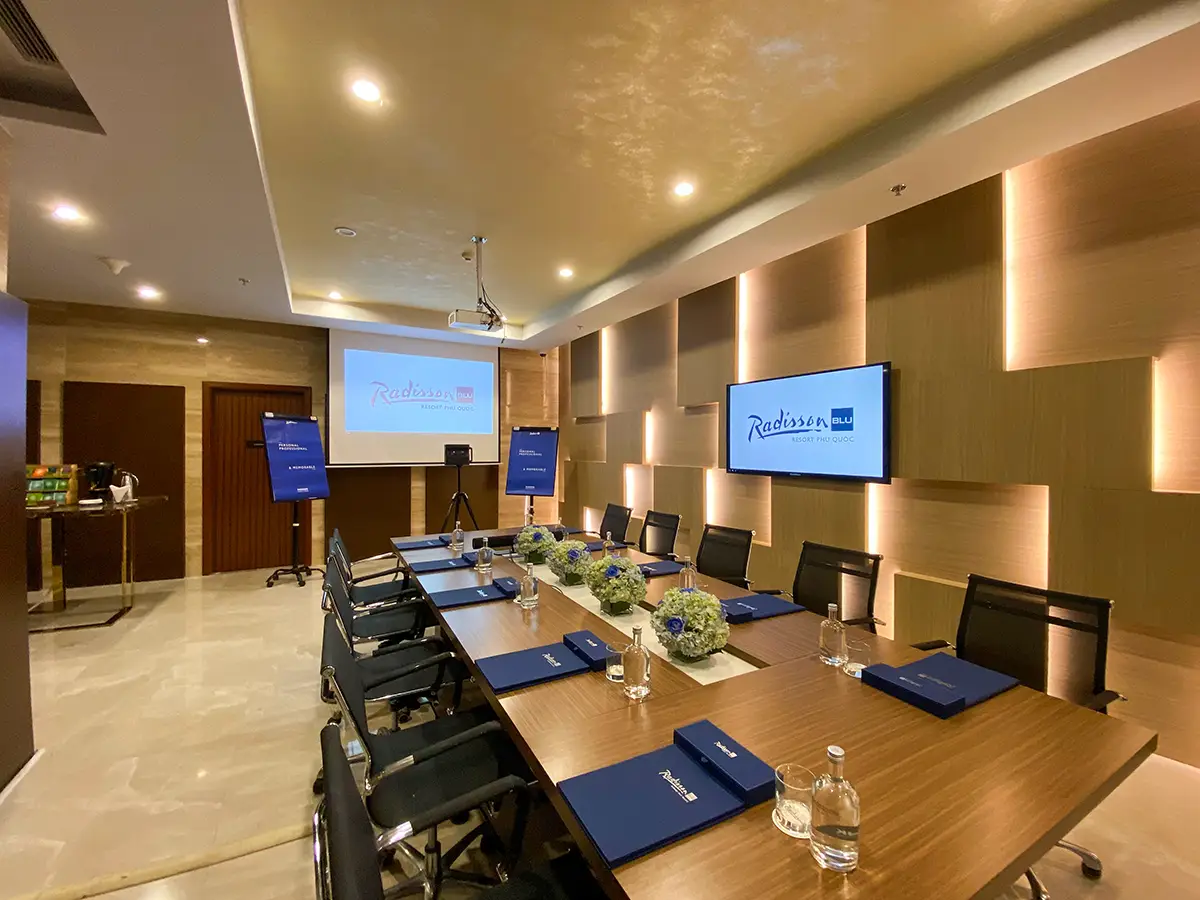
An office has its own set of preparation concerns a home doesn't: data security, staff coordination, and lighting systems that actively work against a still, well-lit capture unless someone thinks to override them first.
Coordinate before anyone shows up
Let the whole team know ahead of time: what to clear from their desks, and roughly when the space needs to be empty. If the building uses motion-sensor lighting, that's worth flagging to facilities or IT in advance. A smart lighting system that only activates near motion will leave large parts of an empty office dim during capture unless it's manually overridden to stay on throughout. Confirm access ahead of time too, especially for secure areas or server rooms, and arrange after-hours entry if that's when the shoot needs to happen.
Data security matters here more than almost anywhere
Whiteboards get erased. Sensitive documents, strategic materials, and anything with client information get physically removed or put away, not just angled out of the obvious sightline. Monitors and displays get switched off entirely, partly to avoid glare, partly to make sure nothing on a screen ends up captured in the finished tour by accident. Automated blurring exists as a backup, but physically removing sensitive material beforehand is the real standard, not something to rely on a filter to catch after the fact.
Getting the space visually consistent
Clean glass partitions and windows properly, since reflections and smudges are picked up with real precision by the scanner. Straighten desks and chairs into some consistent arrangement, tidy cable runs, and clear personal items off individual workstations for a more uniform look. In shared spaces, arrange conference rooms symmetrically, wipe any remaining whiteboard content, and give reception and break areas a proper tidy. These are usually the first spaces anyone sees in the finished tour.
Lighting, and the same fan-and-screen rule as anywhere else
Every light on, consistent color temperature across adjoining spaces, blinds open or uniformly set. Ceiling fans and any active digital signage need to be switched off before the scan starts. Movement during a rotational capture shows up as blur, the same issue as in a home, just easier to overlook in a bigger space with more moving parts.
When the space doesn't need to be staged at all
Everything above assumes a public-facing, marketing-oriented tour. An internal capture, for facilities records, security auditing, or onboarding, often doesn't need any of this. Documenting a space in its normal, working state, with people actually in it, captures something practically useful for those purposes, and these internal tours support password protection and restricted access so they're never publicly indexed.
Before you ask
Worth knowing.
Does staff need to be out of the building during the scan?
For a public marketing tour, yes. Scheduling outside operating hours avoids interference. Internal operational tours are the exception, since capturing a space in active use is sometimes exactly the point.
What happens to sensitive documents or whiteboards during capture?
They should be physically removed or erased beforehand, not just angled out of view. Automated blurring exists as a backup, but physical removal is the real standard.
Why does motion-sensor lighting need to be overridden before a scan?
A system that only lights up near motion will leave much of an empty office dim during capture. Coordinating with facilities or IT to keep lighting on throughout avoids uneven exposure in the finished tour.
Start a project
Tell us about the space, and we'll tell you what it'll take.
Most replies come within a day. Most enquiries start with a short email about the space.
Email info@adostrophe.com