

Journal · Guide
Preparing a house for a Matterport scan.
Published October 5, 2024 · Updated July 19, 2026
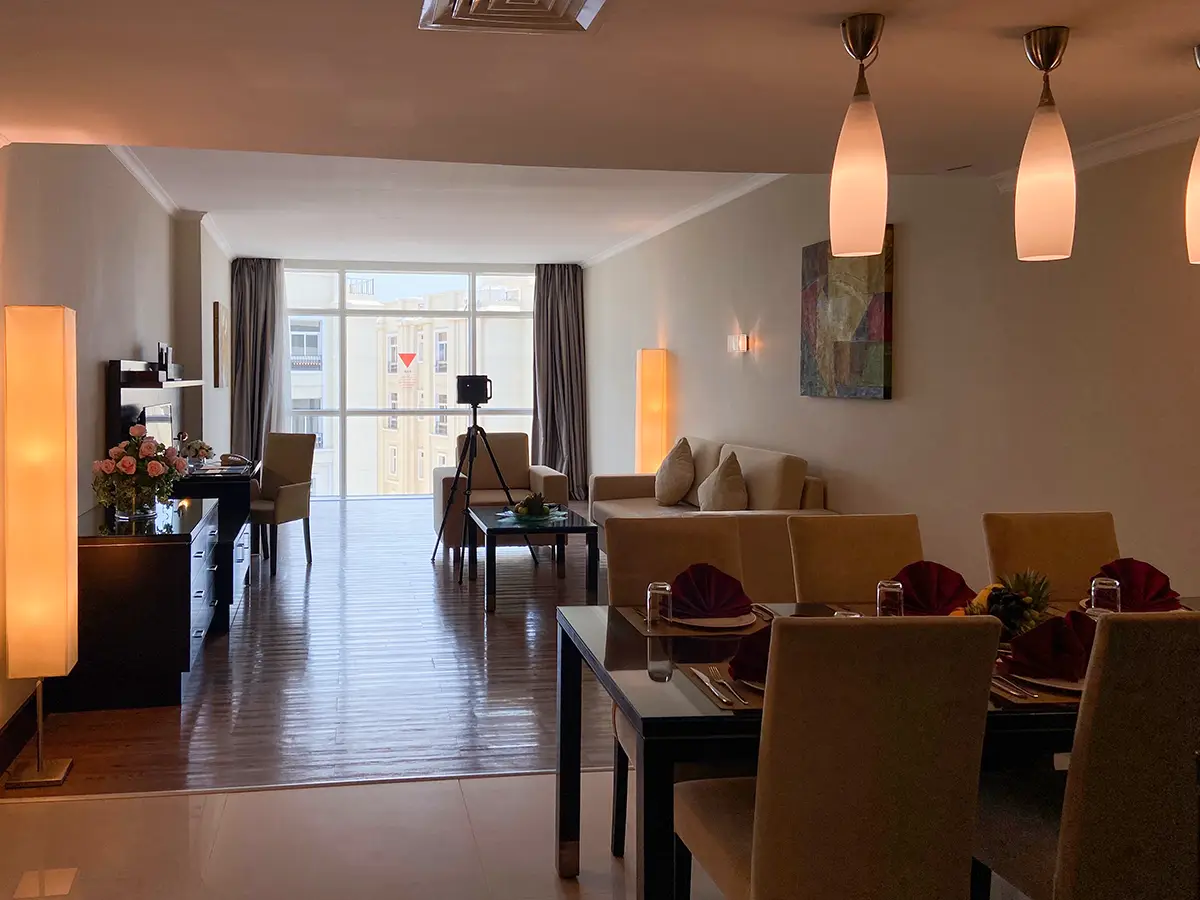
A 3D scan is unforgiving in a way regular photography isn't. There's no cropping around clutter or editing out what's actually there. Getting a space ready beforehand visibly changes the finished tour.
Clear the space first
Personal photos, identifying documents, and anything unusually personal are worth putting away. It keeps the tour feeling neutral rather than like someone else's home. Clear countertops and shelves of everyday clutter, tuck away visible cables, and move pets somewhere else entirely for the shoot, along with their bowls and litter boxes. In the kitchen, small appliances and loose items go into cabinets, and anything stuck to the fridge comes off. In bathrooms, personal care items get put away and toilet lids stay closed. Small things, but they add up to a much cleaner result.
Clean surfaces matter more than people expect
The scanner picks up smudges on mirrors and glass with real precision, so windows, mirrors, and shiny appliance surfaces need actual cleaning, not just tidying. Vacuum carpets properly, and give hard floors a quick pass since reflections off the floor noticeably affect how the space reads. If there's an exterior shot involved, clear the entry path and move any parked vehicles out of frame.
Lighting, and what to switch off
Turn on every light in the space: overhead fixtures, task lighting, anything under cabinets. A well-lit space captures with far less noise. If a room has mixed light sources, try to keep the color temperature consistent rather than mixing warm and cool bulbs in the same space. Open curtains and blinds fully for natural light, and set them the same way throughout if there are multiple windows.
One thing worth remembering that isn't obvious: turn off ceiling fans and TVs before the scan starts. Anything moving during a rotational capture shows up as blur or visual interference in the finished tour. It's a small step that's easy to forget.
Furnished, empty, or private
Whether a space should be shown furnished or empty depends entirely on the goal. A furnished space generally helps a buyer picture living there, while an empty space gives the clearest read on layout and size. AI-based virtual staging exists as a middle ground, digitally furnishing an empty scan without a physical staging cost.
Separately: not every scan needs to be public. Matterport tours support password protection and restricted access, which matters for internal uses like insurance documentation or private facility records where the space is being captured exactly as it normally looks, not staged for anyone.
Before you ask
Worth knowing.
Do I need to be present during the scan?
Usually not necessary. Access can often be coordinated through a lockbox or a designated contact, with the space secured once the scan is complete.
Should a space be furnished or empty for the scan?
Depends on the goal. Furnished generally helps a buyer picture living there; empty gives the clearest sense of actual layout and size. AI-based virtual staging is a real middle option for a space that's already empty.
Can a Matterport tour be kept private instead of public?
Yes. Tours support password protection and restricted access, useful for internal purposes like insurance documentation where public indexing isn't wanted.
Start a project
Tell us about the space, and we'll tell you what it'll take.
Most replies come within a day. Most enquiries start with a short email about the space.
Email info@adostrophe.com